3-2 paramiko库
导入已配置好SSH的eNSP工程项目
本节课专注于Python paramiko库作为客户端。为了加快速度和避免意外情况,直接导入已配置好IP、与物理机互通、配好SSH和登录用户的eNSP工程。
Putty客户端验证
putty官网
下载windows x86 64bit版本,安装时勾选桌面快捷方式。
⏬下载地址: 安装包putty-x86-64-v0.83.msi
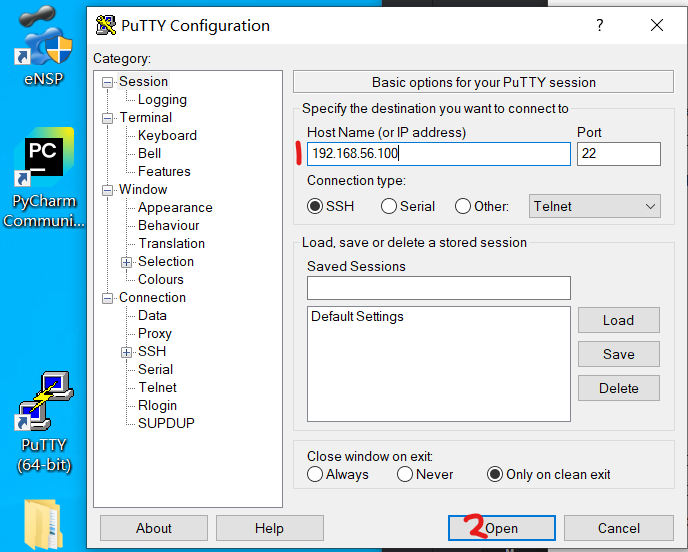
输入服务器IP以连接
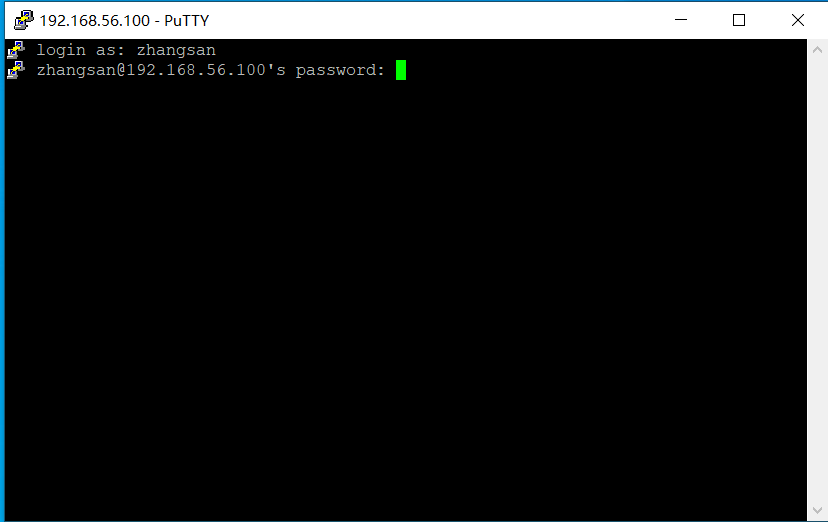
允许交换公钥文件,用于确认服务器可信、SSH握手、传输数据时的加密。
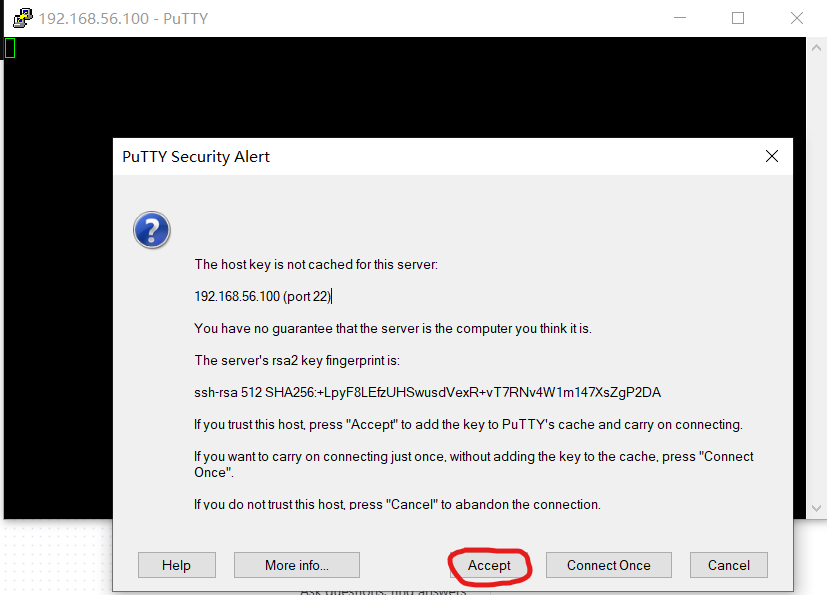
输入zhangsan 、密码Huawei@123 。输入密码时不会有提示注意输入正确。
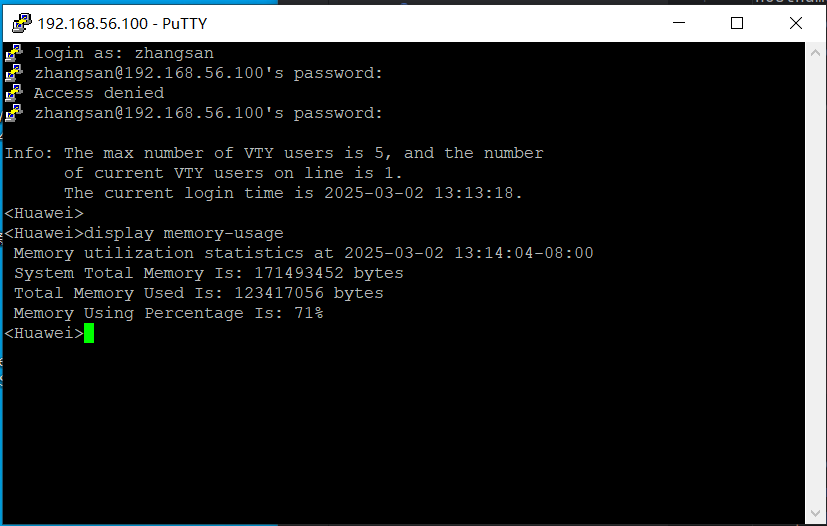
连接成功。你可以像在"真终端"中一样操作设备。因此SSH客户端在linux服务器领域几乎是每个人必用的。目前的"交互式"的"伪终端"是后面书写Python代码的依据。
Python paramiko库
客户端工具putty每次连接1到几个服务器,但如果你想批量控制几十台服务器自动执行命令,就需要编程语言来实现灵活的需求。
介绍: paramiko库在pypi.org上的主页 paramiko库实现了SSH协议。
安装(在Windows PowerShell终端中输入):
pip install paramiko
或如果安装缓慢报超时错误,可以走国内pip镜像源
pip3 install paramiko -i https://mirrors.cloud.tencent.com/pypi/simple
客户端代码:
import time
import paramiko
hostname='192.168.56.100'
username='zhangsan'
password='Huawei@123'
ssh = None
try:
# SSH连接服务器
ssh = paramiko.SSHClient()
ssh.set_missing_host_key_policy(paramiko.AutoAddPolicy())
ssh.connect(
hostname=hostname,
username=username,
password=password,
look_for_keys=True
)
# 连接成功后创建一个"伪终端",就可以在终端里执行后续命令了。
tty = ssh.invoke_shell()
# 这行代码不重要。当显示的信息超过一屏时,系统显示--more--,为了能收到所有回显信息,screen-length 0关闭分屏功能。
tty.send(b'screen-length 0 temporary \n')
# 在设备端执行了一行查看内存用量的命令。在设备"真终端",还是在putty"伪终端",还是在paramiko代码中构造的"伪终端"中,都是一样的结果。
tty.send(b'display memory-usage \n') # 替换为其它几种命令
time.sleep(1)
# 接收所有回显信息
print(tty.recv(999999).decode(encoding='ascii'))
except Exception as e:
print('失败:', e)
finally:
ssh.close()
代码运行结果:
Info: The max number of VTY users is 5, and the number
of current VTY users on line is 1.
The current login time is 2025-03-02 12:15:01.
<Huawei>screen-length 0 temporary
Info: The configuration takes effect on the current user terminal interface only.
<Huawei>display memory-usage
Memory utilization statistics at 2025-03-02 12:15:01-08:00
System Total Memory Is: 171493452 bytes
Total Memory Used Is: 123421888 bytes
Memory Using Percentage Is: 71%
<Huawei>
10 三月 2025